 Veranda
 Gopher
Veranda Gopher reads Gopher: the Internet of menus and plain text from before the web. A server sends a menu; each item is another menu, a text, a search or a file. It works through the Wi-Fi modem (see Network setup).
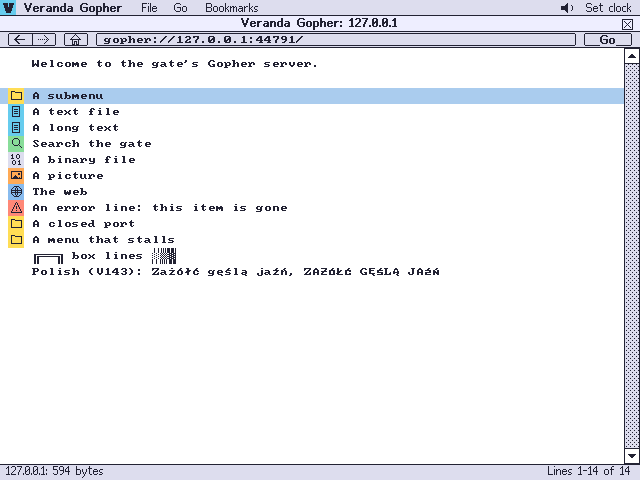
Start it
Double-click Veranda Gopher in /VERANDA/APPS. It starts on the bookmarks page.
Use it
- The address line at the top: type an address such as
gopher://gopher.floodgap.com/1/world, or just a host name, and press Return or click Go. Click the line, press Tab or Ctrl+L, or just start typing. Ctrl+V pastes. Esc leaves the line. - Menus show a badge before each item: a folder (yellow) for a menu, a page (blue) for a text, a magnifier (green) for a search,
10 01for a binary file, a picture (orange), a note (purple) for a sound, a globe for a web link, a screen for telnet, a red warning sign for an error. Lines without a badge are information. - Click an item to follow it (Shift+click only selects it). Or select it with Up and Down and press Return.
- A search asks for words in a box.
- A file asks whether to download it to
/DOCUMENTS. File > Download downloads the selected item (or the text shown) without asking. Stop (the toolbar, File > Stop, or Esc) stops it. A file that did not come whole is deleted. - A web link shows its address in a box. A telnet item shows its host and port: Term can open it.
- Back and Forward (the toolbar's arrows, the Go menu, Left and Right, Backspace) move through the last 16 pages. Reload (Ctrl+R) fetches the page again. Home (the house) is the bookmarks page.
- Scrolling: the wheel, PgUp, PgDn, Home, End, or the scroll bar at the right: its arrows move a line (hold one down to keep going), a click on the track above or below the thumb moves a page, and the thumb can be dragged. Up and Down move from item to item in a menu, a line at a time in a text.
- The menus show each command's key at the right. The box at the right of the title bar quits, as Veranda Gopher > Quit does.
Bookmarks
Bookmarks > Add this page adds the page shown. Remove... removes the bookmark selected on the bookmarks page. Up to 16.
Without bookmarks of your own, the page has a few well-known servers (Floodgap, its Veronica-2 search, Quux.org, SDF, Bitreich). Your bookmarks are kept in /VERANDA/.SYSTEM/GOPHER.MARKS, a Gopher menu (one line per item: the kind and name, a TAB, the selector, a TAB, the host, a TAB, the port). You can write it on a PC.
Limits
- A page keeps 48 KB and 4,000 lines. A longer one is cut, and says so. (File > Download saves all of it.)
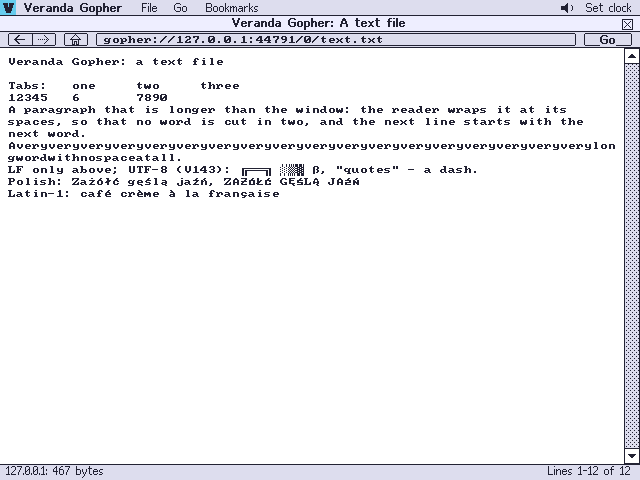
- Text is shown in the X16's character set: UTF-8 letters show as odd characters.
- Lines are 76 columns (a menu item's name 73).
- No Gopher+, no TLS, no web pages.
- One thing at a time: a page or a download.
Alt+Tab puts Veranda Gopher aside, even during a download.
This page is also in the wiki, and on the X16 (the desktop's Veranda > Help).